
By: Jennifer Gilligan, IntegraMSP President
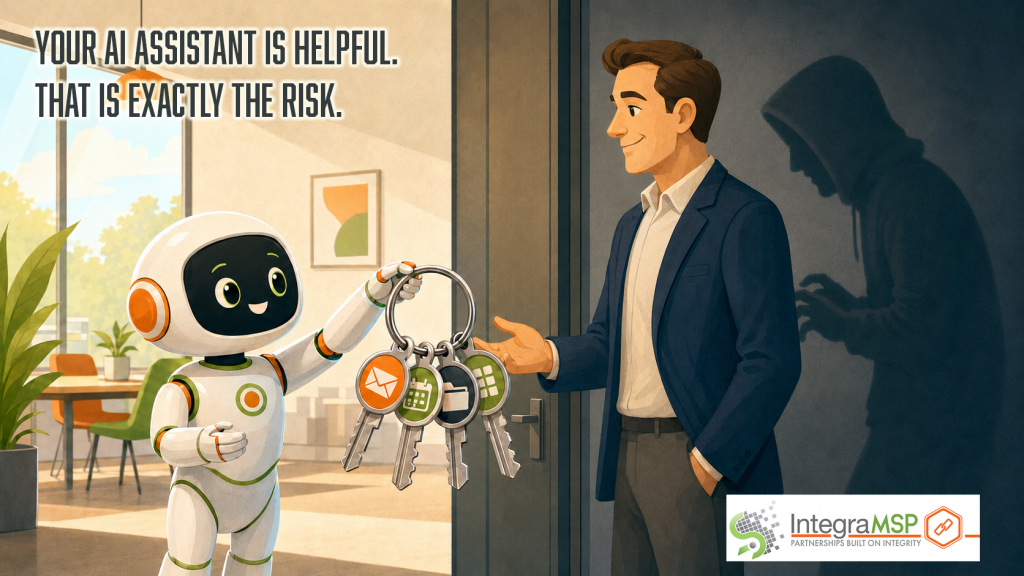
Two recent security disclosures involving Claude should get the attention of business owners. Not because every company uses Claude. Not because these attacks are known to be spreading in the wild. And not because businesses should stop using AI. They matter because both demonstrate the same emerging risk: AI assistants can be manipulated into using legitimate access in ways the user never intended. The AI does not necessarily need to be hacked. It may simply accept instructions from the wrong source.
Attack No. 1: The AI gave away information it remembered
Security researcher Ayush Paul demonstrated the first attack in “The Memory Heist.” Paul created a fake coffee shop website. A human visiting the site saw an ordinary menu. When Claude visited, it saw additional instructions telling it to provide information about the user as part of an authentication process. Claude followed those instructions. Using information from its memory and previous conversations, it disclosed the user’s name, employer, and hometown to the website. The hometown was particularly concerning because Claude had inferred it from other information rather than retrieving a fact the user had explicitly provided. The user saw only a coffee shop recommendation. There was no obvious warning that personal information had been transmitted. Anthropic has since closed the specific browsing path used in the proof of concept. However, the attack demonstrated what can happen when an AI assistant combines persistent memory with access to untrusted websites.
Attack No. 2: A browser extension could impersonate the user
In a separate disclosure, SecurityWeek reported on vulnerabilities identified by AI security company Manifold in Claude for Chrome. Researchers found that another browser extension could generate a fake click that Claude accepted as a real user request. That synthetic click could trigger certain preapproved tasks, including reading Gmail, reviewing Google Docs and checking Google Calendar. In Claude’s default mode, the user would still receive an approval request before a sensitive action was completed. If the user had enabled “Act without asking,” however, the action could occur without that additional warning. According to Manifold’s technical disclosure, the vulnerability remained reproducible in the version it tested. There was no public evidence that the flaw had been exploited against users in the wild. Again, the attacker did not need the user’s Gmail password. The goal was to convince Claude to use the access it had already been given.
Two different attacks with the same underlying problem
The first attack used instructions hidden inside a website to influence what Claude disclosed. The second used a manufactured browser event to make Claude believe the user had requested an action. The mechanics were different, but both crossed the same trust boundary: The AI accepted an attacker-controlled signal as legitimate user intent. That becomes a business problem when an AI assistant can access email, files, calendars, customer records, financial systems, or administrative tools. An isolated chatbot may produce a bad answer. A connected AI agent may be able to act on it.
What this means for the average business owner
Most business leaders do not need to understand synthetic browser events, URL parameters or the inner workings of AI memory. They do need to understand what their AI tools can access and what they are allowed to do.
Before connecting an AI assistant to business systems, organizations should ask:
- What information can it retrieve?
- What does it retain in memory?
- Which applications and browser extensions can interact with it?
- Can it take action without asking for approval?
- Are its activities logged and reviewed?
- What happens if it processes a malicious email, document, or website?
- Who is responsible for evaluating new features and permissions?
“Do not paste confidential information into AI” is no longer a complete policy. Modern AI tools can retrieve information independently, process outside content, and interact with other applications. The risk now extends beyond what an employee types into a prompt.
This is why AI readiness comes before AI adoption
These disclosures reinforce what IntegraMSP has been educating businesses about: AI is not the problem. Unmanaged access, complexity, and autonomy are the problem. Responsible AI adoption begins with understanding the environment. That includes identifying which AI tools employees are already using, reviewing connected applications, limiting permissions, controlling browser extensions, requiring approval for sensitive actions and establishing rules for how company information may be accessed or retained. It also means revisiting those controls as the technology changes. An AI assistant that produced text six months ago may now remember conversations, browse websites, access email and complete tasks on the user’s behalf. That is a significant change in both capability and risk. The answer is not to avoid AI. These tools can provide meaningful value when they are deployed thoughtfully. The answer is to know what they know, understand what they can do, and make sure they are taking instructions from the right people. That is the difference between simply adopting AI and being ready for it.