
By: Jennifer Gilligan, IntegraMSP President
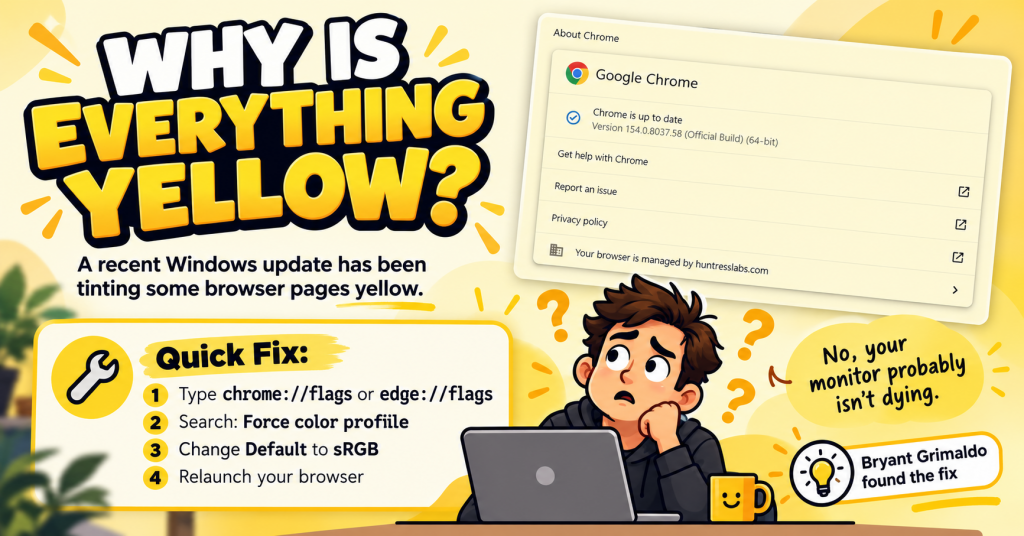
If your browser suddenly looks like someone laid a pale yellow filter over the screen, you are not imagining things.
And no, your monitor probably is not dying.
A recent Windows update appears to be causing a strange yellow or cream tint in Chrome, Microsoft Edge, and some applications that rely on Microsoft’s Edge WebView2 technology. Users began reporting the problem after recent Windows updates, with some noting that only certain applications are affected while the rest of the display looks normal. Microsoft Learn
We saw it firsthand.
And, because IT is occasionally less “complex infrastructure strategy” and more “WHY IS EVERYTHING YELLOW?”, our technician Bryant Grimaldo went digging for an answer.
He found one.
And it works.
The Fix for Chrome and Edge
If your browser has suddenly developed an unwanted cream-colored aesthetic, try changing the browser’s color profile.
For Google Chrome, enter this in the address bar:
chrome://flags
For Microsoft Edge, enter:
edge://flags
Then:
- Search for Force color profile
- Change the setting from Default to sRGB
- Relaunch the browser
That should return your browser to its regularly scheduled shade of white.
The same workaround is currently listed as the accepted answer in a Microsoft support thread discussing the issue. More than 20 users had marked the solution helpful at the time of publication. Microsoft Learn
But What About Yellow Outlook and Teams?
Here is where things get slightly more annoying.
Some users are also reporting the yellow tint in applications such as Microsoft Outlook and Teams. In the Microsoft discussion, users specifically noted that applications using Microsoft Edge WebView2 can remain affected even after the Edge browser itself has been corrected. Microsoft Learn
Which explains why I currently have:
Normal browser. Yellow Outlook.
Wonderful.
There are reports that the underlying issue may involve the way certain applications are interpreting monitor ICC color profiles after the Windows update. One commenter noted that the behavior can even vary between monitors on a multi-monitor setup. For now, the browser setting is a useful workaround while Microsoft works through the larger issue.
Before You Start Replacing Monitors…
If everything suddenly looks like your computer has entered “vintage parchment mode,” check whether the problem is limited to Chrome, Edge, Outlook, Teams, or other individual applications.
If it is, try the Force color profile → sRGB change first.
It takes about 30 seconds.
And it might save you from spending the afternoon changing display settings, reinstalling drivers, or glaring suspiciously at your monitor.
Credit where credit is due:
Nice catch, Bryant Grimaldo.
Sometimes the best IT fixes are the complicated ones.
And sometimes they are simply the ones that make your computer stop being yellow.
TL;DR
Recent Windows updates are causing some Chrome, Edge, and WebView2-based applications to display with a yellow or cream tint. Microsoft Learn
Chrome:
chrome://flags
Edge:
edge://flags
Search Force color profile → select sRGB → relaunch.
And if Outlook is still yellow afterward? You may unfortunately be in the same club I am.